Build SAP-powered Copilot actions without writing custom SAP API calls.
Connect Microsoft Copilot Studio and Power Automate with SAP SuccessFactors using ready-to-use business actions for HR, recruiting and workflow automation.
Recruiting Flow
Built for Power Platform teams, HR IT and enterprise automation.
From complex SAP APIs to simple business actions
SAP SuccessFactors raw payload
{
  "candidate": {
    "firstName": "Maria",
    "lastName": "Müller",
    "primaryEmail":
      "maria.mueller@example.com",
    "country": "Germany",
    "jobInfo": {
      "jobTitle": "Marketing Manager",
      "businessUnit": "1001"
    }
  }
}Instead of building complex SAP payloads manually, makers call a clean connector action and receive structured SAP responses directly inside Power Automate.
Already running as real Power Automate actions
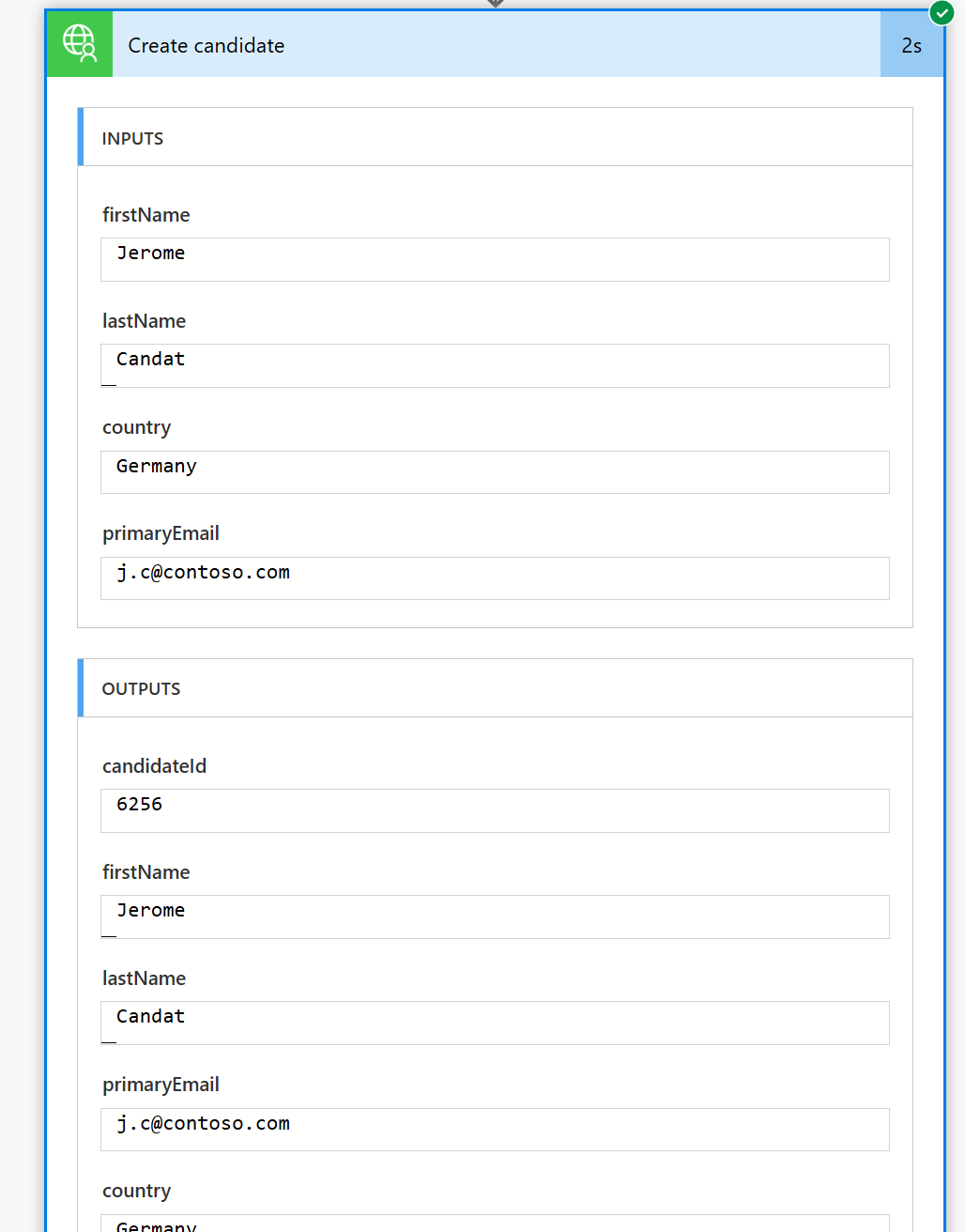
The connector wraps complex SAP SuccessFactors API calls into simple actions such as creating and listing candidates.
Create candidate
Pass first name, last name, country and email. The connector creates the candidate in SAP SuccessFactors and returns the candidateId.
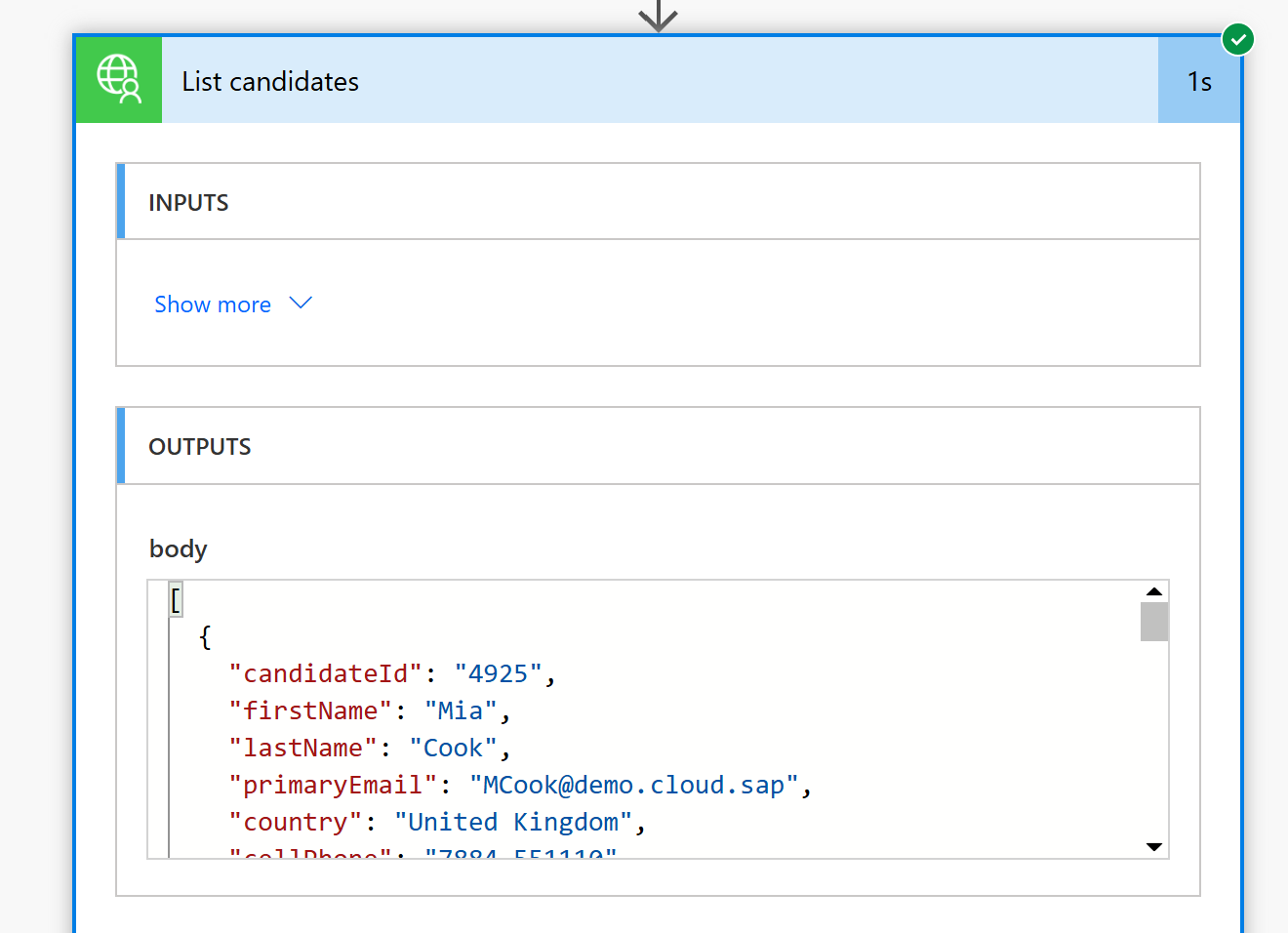
List candidates
Candidate data is returned as structured JSON and can be used directly in flows or Copilot actions.
Use cases for HR, recruiting and Copilot agents
Create candidates
Create new candidates in SAP SuccessFactors directly from Microsoft flows or Copilot Studio.
Update candidates
Update candidate data safely from Microsoft workflows.
Automate recruiting workflows
Automate approvals, notifications and recruiting process steps.
Enable Copilot agents with SAP actions
Expose real SAP actions as tools inside Copilot agents.
Why not just use the standard SAP/OData connector?
| Standard SAP / OData | SAP Premium Connector | |
|---|---|---|
| Access | Technical API/OData calls | Ready-to-use business actions |
| Effort | Complex payloads & mapping | Simple parameters |
| Know-how | SAP API knowledge required | No SAP API expertise needed |
| Error handling | Technical error codes | Cleaner error messages |
| Audience | Developers | Makers, consultants, HR-IT and enterprise teams |
| Copilot capability | Only usable with additional custom logic | Directly usable as clear action for agents and flows |
How the connector works
Your Copilot or flow calls a clear business action. The connector handles authentication, SAP-specific API communication, mapping and response handling.
Designed for enterprise governance
The connector helps centralize SAP-specific logic instead of spreading it across many individual flows.
See the connector in action
In the demo video, you can see SAP SuccessFactors actions being executed directly from Microsoft Power Automate.
Ready to bring SAP processes into Copilot?
Let's implement your first SAP SuccessFactors use case in Microsoft Copilot Studio or Power Automate.